Quick Start Guide for Cudy FlashRouters
Find setup guides, FAQs and troubleshooting tips for Cudy configured FlashRouters.
Prioritizing Privacy








AC1450, R6220, R6230, R6250, R6260, R6300 V1, R6300 V2, R6400 V1, R6400 V2, R6700 V1, R6700 V2, R6700 V3, R7000, R7000P, R7800, R8000, R9000, XR500
RT-AC56U/R, RT-AC68U V1, RT-AC68U V2, RT-AC1900P, RT-AC87U, RT-AC3100, RT-AC5300

WRT1200AC, WRT1900AC V1, WRT1900AC V2, WRT1900ACS V1, WRT1900ACS V2, WRT32X, WRT3200ACM


Aircove
R6300 V2, R6400 V2, R6700 V3, R7000, R7000P
RT-AC56U, RT-AC56R, RT-AC56S, RT-AC68U V3, RT-AC87U
EA6200, WRT1200AC, WRT1900AC V1, WRT1900AC V2, WRT1900ACS V1, WRT1900ACS V2, WRT32X, WRT3200ACM
If you ever have an issue with WiFi, you can always wire directly into the FlashRouter to verify and/or update your current WiFi settings.
Our team has tested the wireless functionality for each FlashRouter that we offer and shared our recommended wireless settings in our Wifi Setup area. Replicate the settings for your FlashRouter model found on that page if the 2.4GHz is not showing.
Navigate to Wireless > Basic Settings
Change the wireless channel setting for the 2.4GHz band that is not appearing. The most broadly compatible channels are 6 and 11.
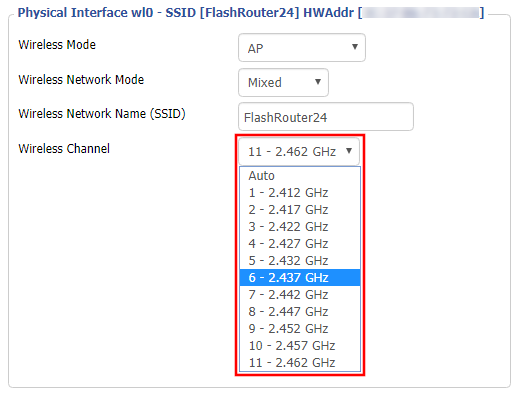
CLICK APPLY SETTINGS
In rare instances the wireless adapter for your device may stop picking up WiFi networks and must be reset. This will be different for each device, that is why the best way to refresh your wireless adapter is to simply reboot any device in question and see if the adapter now picks up your WiFi networks.
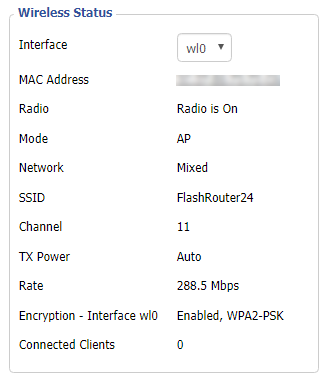
Navigate to Status > Wireless
The readouts on this page can help tell if there are errors with the FlashRouter’s wireless. View our article on how to read the Wireless Status page for more information.
Your Privacy Hero router uses Cloud Based router management which means you can access the router settings from anywhere on any device that has an internet connection. You can follow these steps while connected to your phone, other Wi-Fi network, or the Privacy Hero network.
The Privacy Hero router allows for User Profile creation. Doing so allows you to group different user’s devices together to customize the following rules:
This makes the Privacy Hero a great router option for families and internet addicts.
1. From any device that has a browser such as a computer, smartphone, or tablet visit app.privacyhero.com

2. Enter your Privacy Hero account email and password. Click Login.
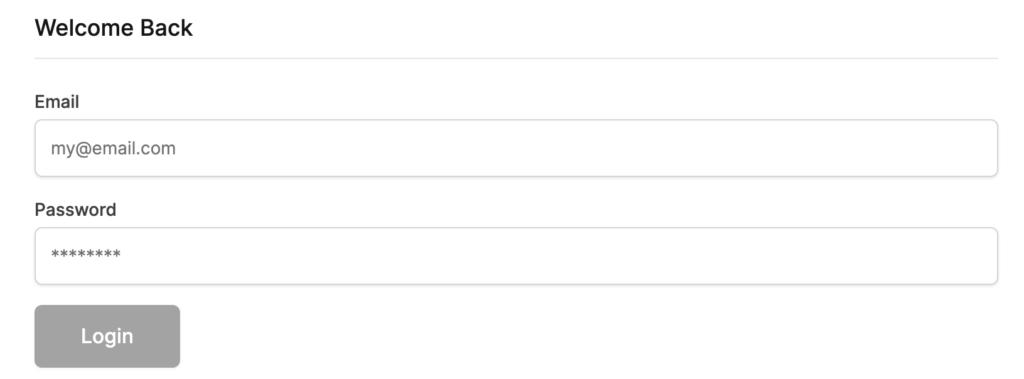
If you have not created your Privacy Hero account yet please follow these instructions.
3. Click the Profiles symbol.

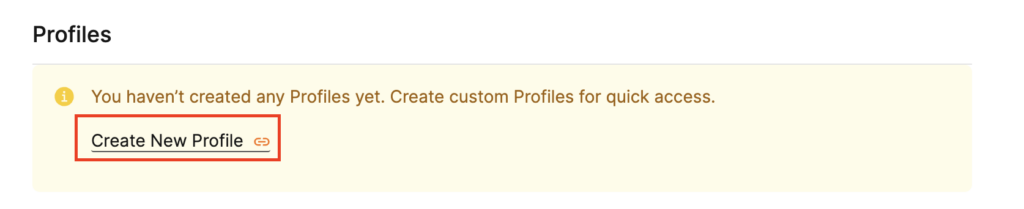
4. Click Create New Profile.
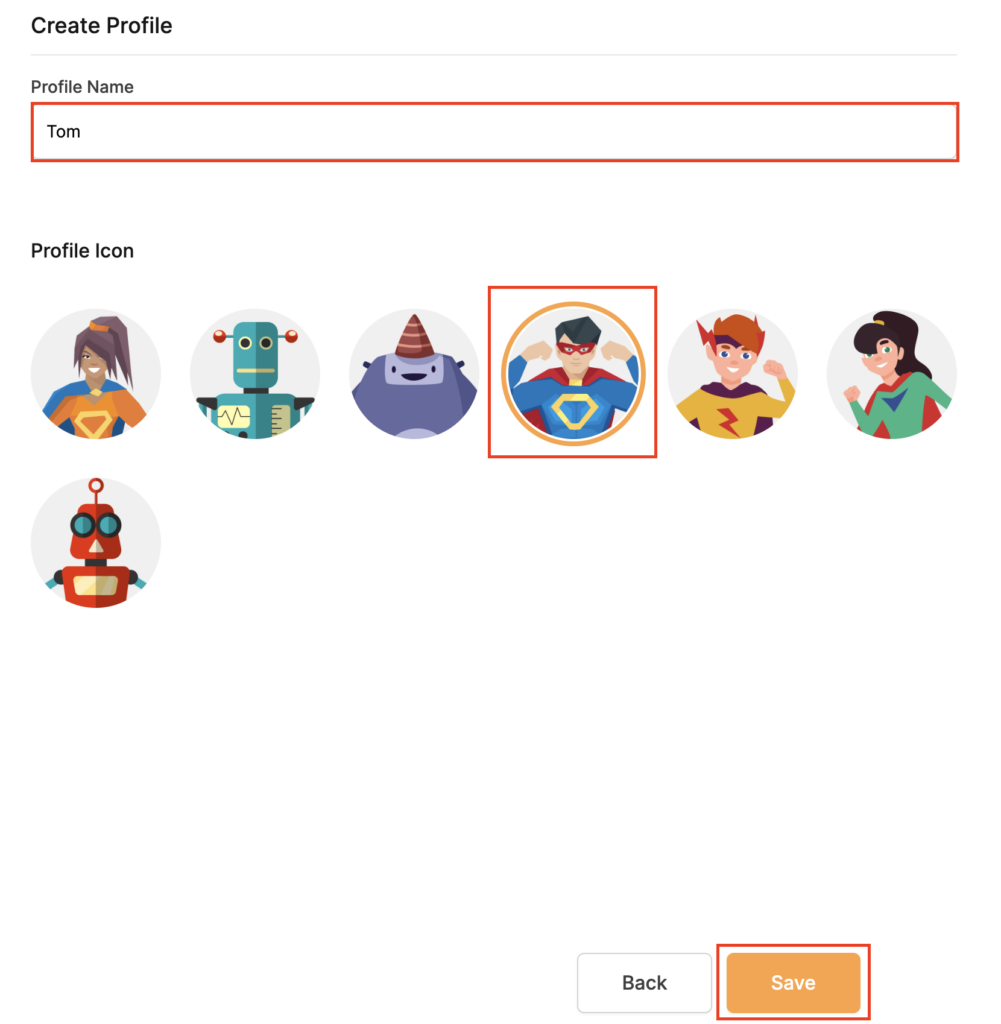
5. Set the Profile Name, select the Profile Icon, and click Save.
6. Click the name of the User Profile.
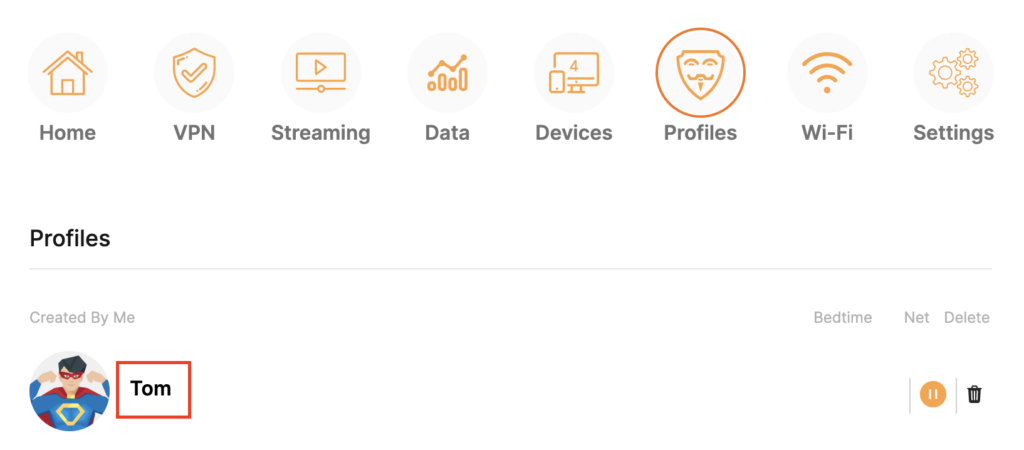
7. Select Devices.
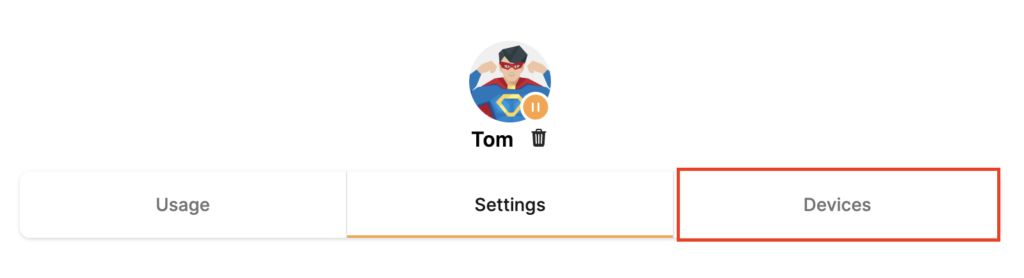
8. Select Manage Devices.
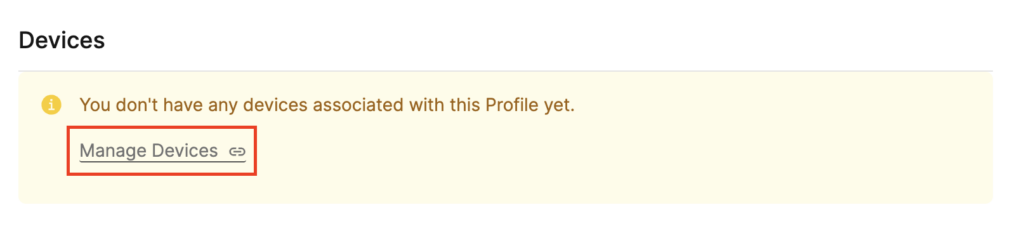
9. If you have not already connected your devices to the Privacy Hero network via wireless or ethernet you can do so now. Refresh the page after connecting a new device and it will appear in the list where you can select Move to “Profile Name” to move the device to the appropriate profile. By default new devices are in the Shared profile.
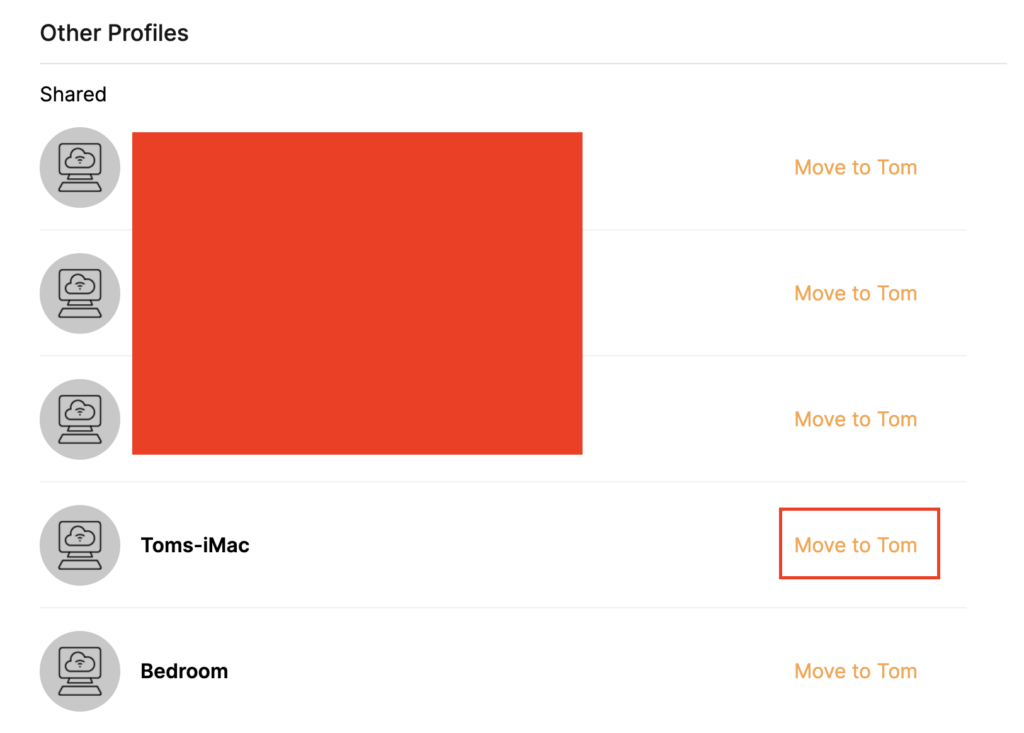
If your devices were already connected to the Privacy Hero network and you are having issues identifying them I would recommend the following steps:
This is how you can identify a device that is not properly named.
10. Now that your devices are assigned you can set the Bedtime Settings (Internet Scheduler) and Safe Surf settings for your new Profile.

 Support Guides
Select your router type

Privacy Hero, Privacy Hero 2


Flint 2 GL-MT6000, Flint GL-AX1800, Slate GL-AXT1800, Beryl GL-MT3000, Marble GL-B3000

Roqos Core Router, Roqos SASE Appliance

AC1450, R6220, R6230, R6250, R6260, R6300 V1, R6300 V2, R6400 V1, R6400 V2, R6700 V1, R6700 V2, R6700 V3, R7000, R7000P, R7800, R8000, R9000, XR500
RT-AC56U/R, RT-AC68U V1, RT-AC68U V2, RT-AC1900P, RT-AC87U, RT-AC3100, RT-AC5300
WRT1200AC, WRT1900AC V1, WRT1900AC V2, WRT1900ACS V1, WRT1900ACS V2, WRT32X, WRT3200ACM

ExpressVPN Aircove, Aircove Go
R6300 V2, R6400 V2, R6700 V3, R7000, R7000P
RT-AC56U, RT-AC56R, RT-AC56S, RT-AC68U V3, RT-AC87U
EA6200, WRT1200AC, WRT1900AC V1, WRT1900AC V2, WRT1900ACS V1, WRT1900ACS V2, WRT32X, WRT3200ACM


Flint WiFi 6 AX1800 VPN Router
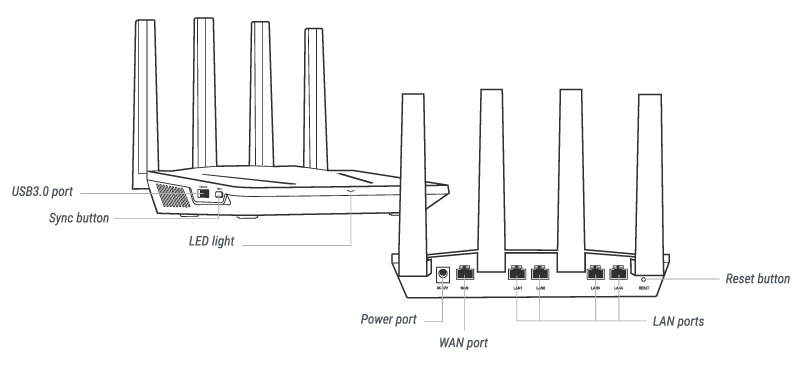

Select your operating system below to setup the FlashRouters Privacy App on your router, the easiest way to connect to the best VPN services. For ExpressVPN FlashRouter users, please view the following section for setting up the ExpressVPN app.